A great grip with a weight problem
The CRKD Nitro Deck 2 review verdicts are in, and they land on the same point: this is the most complete handheld controller you can clamp onto a Switch 2, and also one of the heaviest ways to hold it. TechRadar gave it 4/5, calling it “hard to beat if you want the ultimate handheld experience on Nintendo’s platforms” while flagging ergonomic and connectivity issues. Shipping has now begun worldwide, per GamesRadar.
That is the whole story in one line: the Nitro Deck 2 is the Switch 2 grip most handheld players will want on paper, until a long session reminds them it is a slab.
What the Nitro Deck 2 actually is
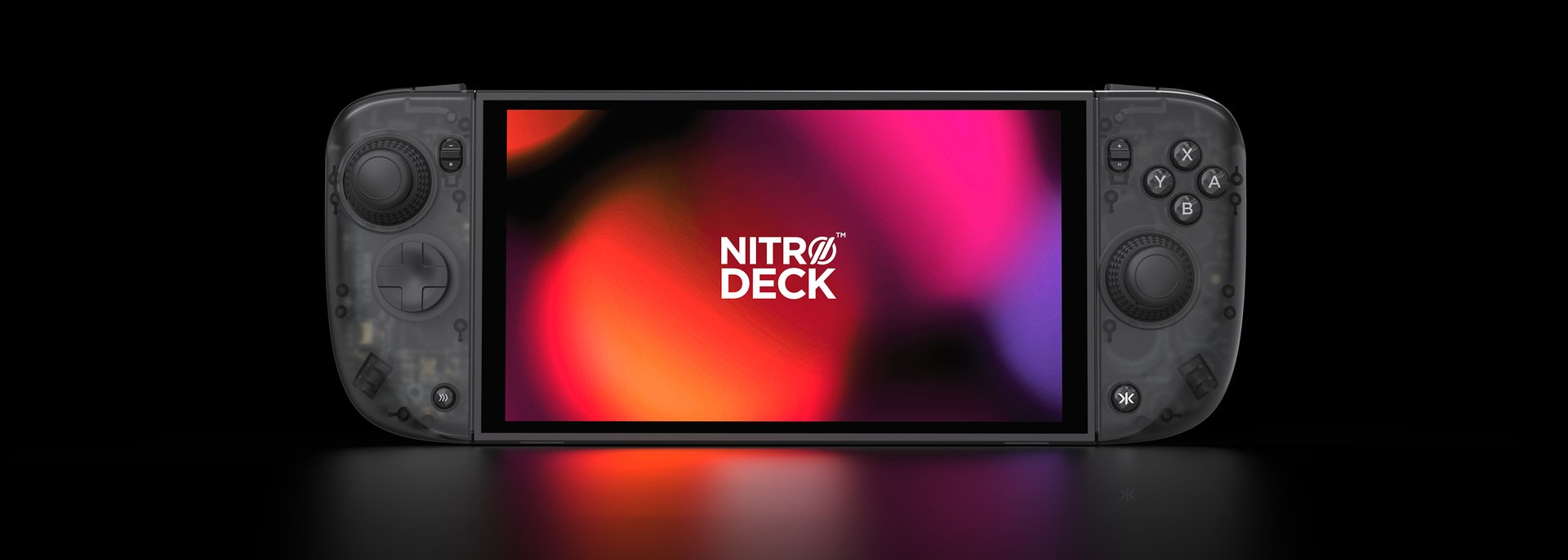
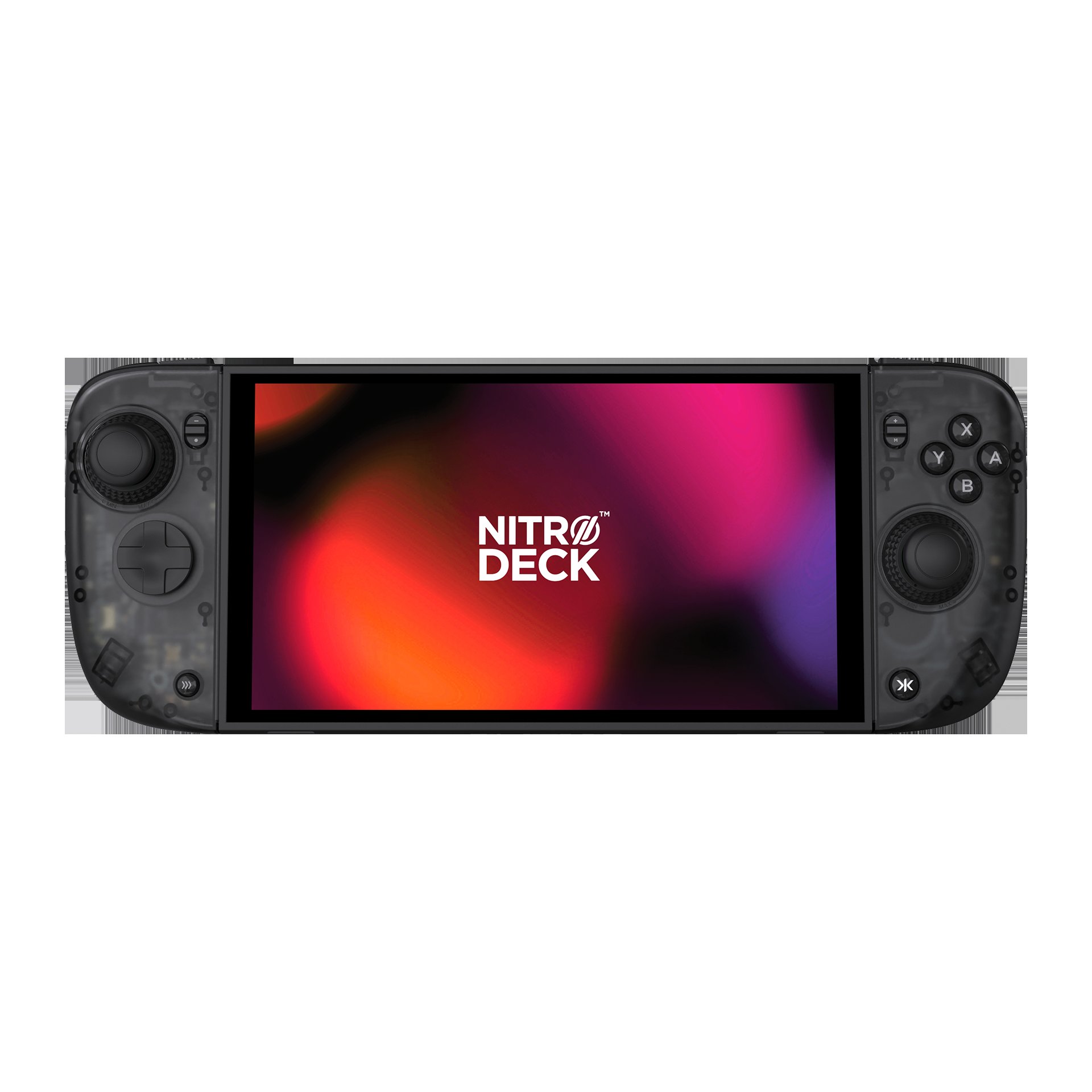
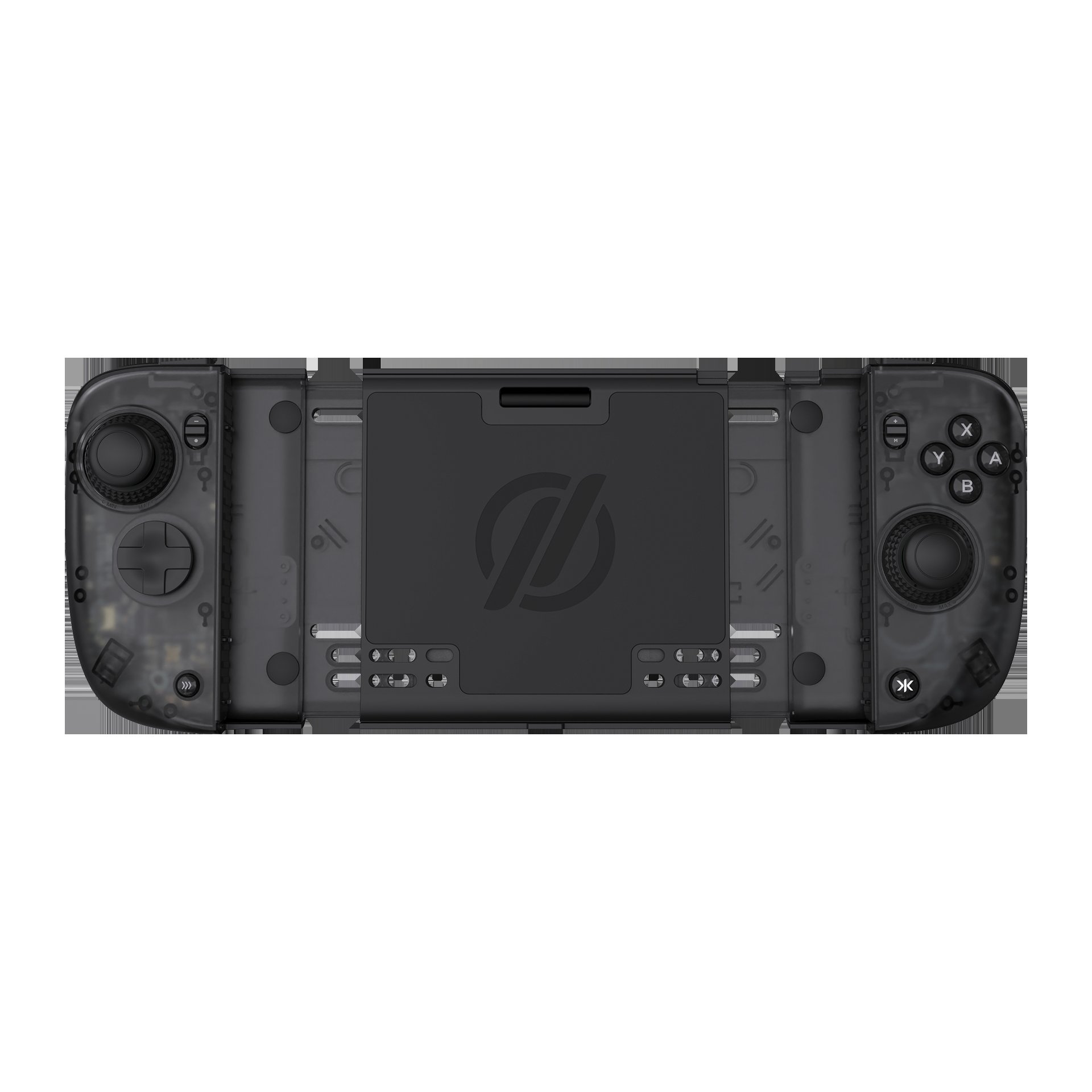
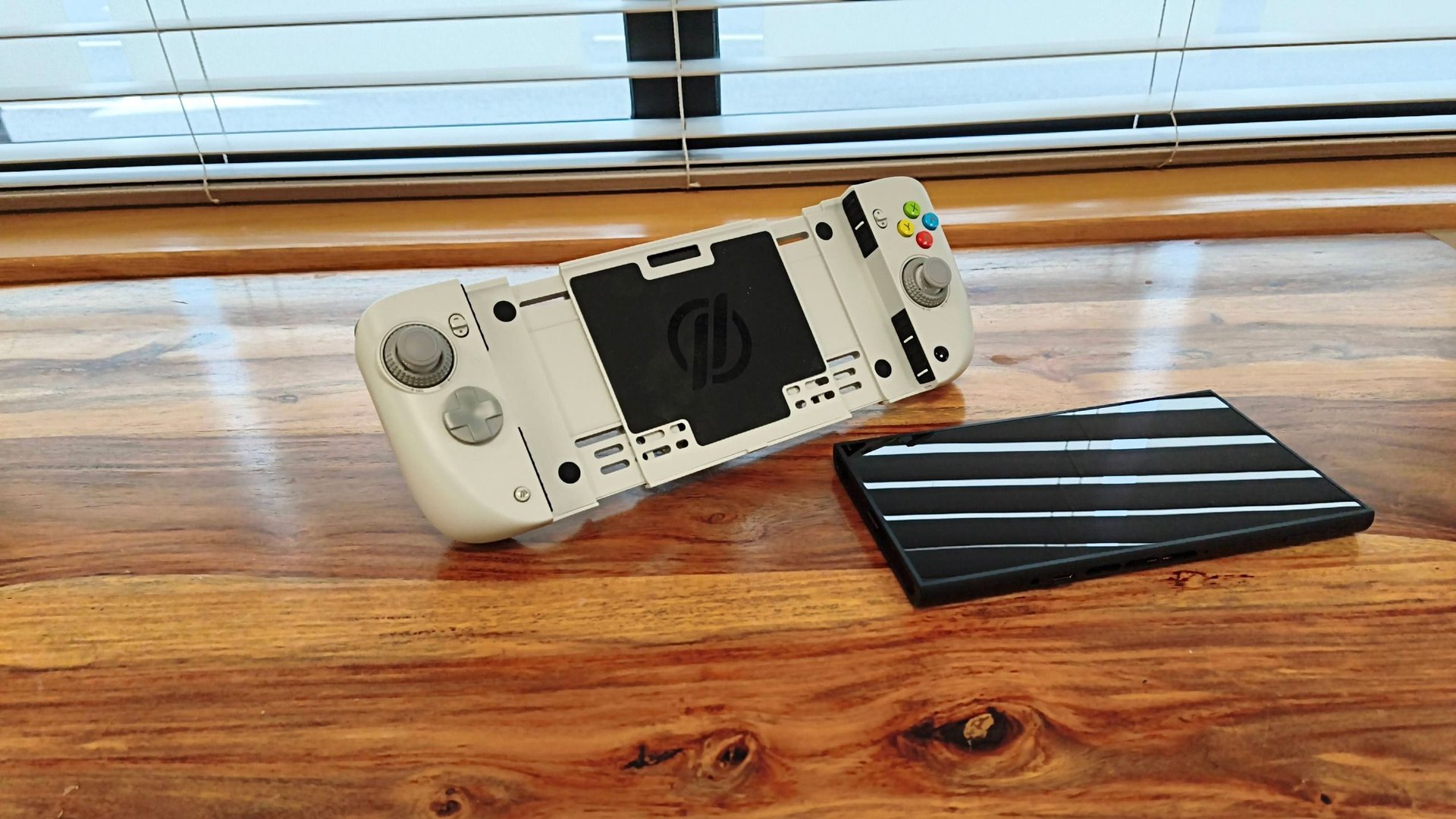
CRKD pitches the Nitro Deck 2 as a new product built for Switch 2 and backwards compatible with Switch and Switch OLED, with a removable centerpiece that turns it into a standalone pro-style pad when the console is docked, per the official CRKD page. It clamps to the sides of the console rather than slotting into the Joy-Con rails, tightened by a retractable locking dial on the back. TechRadar says the grip is secure enough that the console did not move even when the unit was held upside down.
Connection is Bluetooth or wired through an included U-shaped USB-C adapter, and a legacy adapter covers the original Switch. Beyond Nintendo, CRKD lists PC, iOS, Android and smart TVs, and TechRadar confirms pairing with PC and Android phones, though you re-pair each time you move between devices.
Sticks that earn the 4/5
The sticks are the star. TechRadar calls them precise and responsive, with dials at the base that adjust tension on the fly: looser for quick flicks, tighter for control. CRKD adds that its CaptiStick capacitor sensors are built to eliminate drift, a claim from the maker rather than something the reviews measured.
Face buttons are clicky, the circular D-pad hat is comfortable, and the shoulder buttons are easy to reach. Motion controls worked accurately when aiming a bow in Tears of the Kingdom, though waving a whole console around in handheld mode is not exactly practical. Battery life matched the 15-20 hours CRKD claims.
Value scores well too. The scorecard gives value 4.5/5, design and features 4/5, and performance 4/5, rolling up to the 4/5 total. The unit bundles Switch and Switch 2 handheld grips, backplate protection, a metal kickstand and a standalone gamepad, which is why the price reads as fair for what it replaces.
Where the weight and the angle bite
The complaints cluster around holding it. TechRadar found the grips angled less naturally than most pads: they protrude outwards at the top rather than the bottom, and the reviewer never felt entirely at ease. Add the weight of a loaded console and holding it upright becomes “a chore, even for short periods.” The listed weight is 12.8oz / 363g for the unit alone, before the console goes in.
The back buttons are the second sore spot. They sit too low for natural finger placement, and their low travel meant the reviewer triggered them by accident. They can be remapped on the deck or in the CRKD companion app, which is clear and bug-free by TechRadar’s account but needs a three-second button hold to reconnect every time you leave it.
Then there is reconnecting. Pairing is easy, but waking the console after sleep means a slow Bluetooth reconnect. Wired is quicker, though still not instant. There is no passthrough either, so the deck and the console charge separately, and CRKD confirms the deck’s battery does not charge or power the console.
Price, colours and who it suits
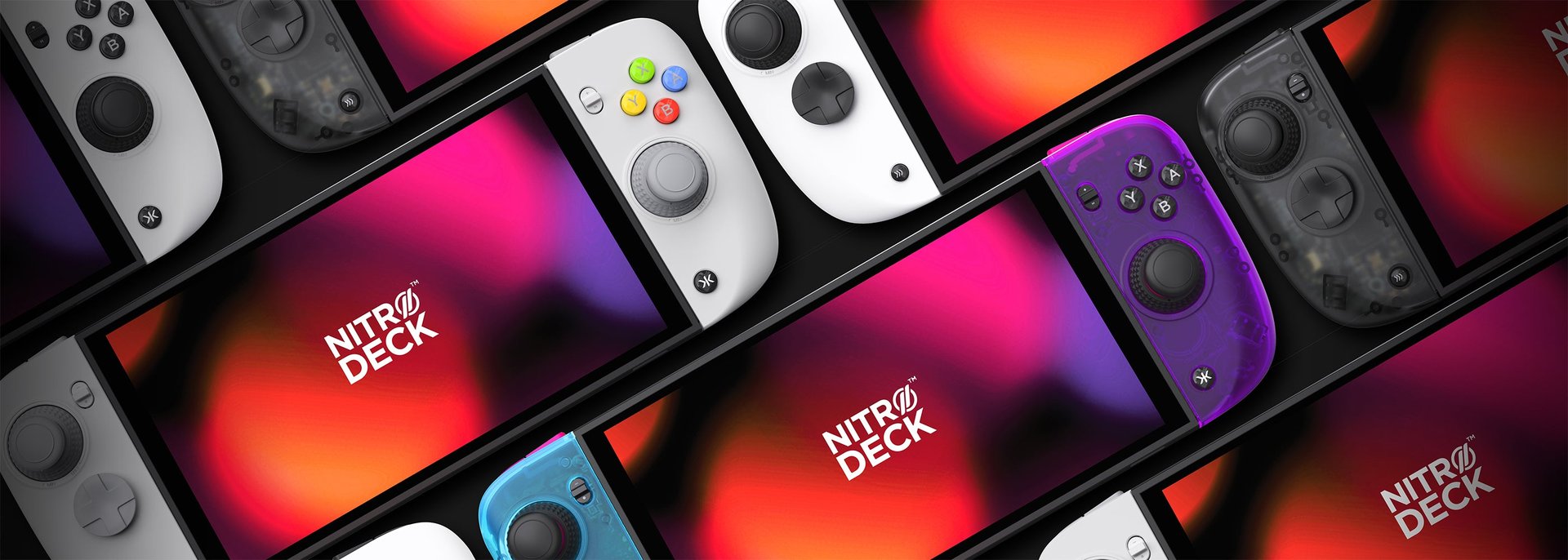
TechRadar lists $89.99 / £89.99 / AU$161 in four colorways: Smoke Black, Pal Grey, LRG Fusion and White. GamesRadar quotes $99.99 at Amazon in the US and £89.99 in the UK, with Smoke Black, Pal Grey and White on offer, so check the listing before you buy. The box includes a USB cable, the U-shaped adapter and the legacy adapter; extra stick caps and D-pad hats are sold separately.
The alternatives TechRadar names are cheaper and lighter. The Genki Attack Vector keeps the Joy-Con 2 pads, adds three grip sets and a backplate, and stays on the console when docked. The GameSir G8+ is a $79.99 mobile pad that only works with Switch 2 by user report. Neither does as much as the Nitro Deck 2.
If you also shop for desk hardware, our takes on the Turtle Beach MC7 touchscreen mouse and the Razer Basilisk V4 Pro roundup cover the same kind of trade-off: great ideas, a few flaws that decide whether it works for you.
Buy if, skip if
- ✅ Buy it if you are fussy about stick feel and want tension you can change instantly.
- ✅ Buy it if you want one controller for Switch, Switch 2, PC and phone.
- ❌ Skip it if you want something light and portable; with a console attached it is heavy and bulky.
- ❌ Skip it if you need instant reconnects or hot-switching between devices.
Our take
A score of 80 is a fair read. The adjustable sticks, kickstand and protection are real upgrades over bare Joy-Con 2 pads, and the price is sensible for the bundle. But comfort is the whole point of a handheld grip, and the weight plus the inward-leaning angle are exactly the things a spec sheet hides. If you play handheld in short bursts or propped on a table, buy it. If you play upright for hours, try holding one before committing.
The score here is TechRadar’s single 4/5 converted at 20 points per star, giving 80/100.