Stuck on FSR 3.1
What this fixes: being stuck on FSR 3.1 upscaling with an older Radeon card. Who it’s for: owners of desktop Radeon RX 6000 cards running Windows. Verified against AMD’s Adrenalin Edition 26.10.1 release notes, last updated 20 October 2026.
A graphics card first released in 2020 just picked up machine-learning upscaling, and AMD says it takes a driver update, not new hardware. The catch is that AMD’s own pages are better at telling you what you get than how to turn it on.
The driver, and the cards it covers
FSR Upscaling 4.1 arrives on RX 6000 as part of AMD Software: Adrenalin Edition 26.10.1, which AMD’s newsroom published on 20 October 2026. Under New Features, the release notes list AMD FSR Upscaling 4.1 support for Radeon RX 6000 Series Graphics products. AMD says it got there by optimizing the INT8 model originally made for FSR Upscaling 4.1 on Radeon RX 7000, which AMD delivered in July 2026.
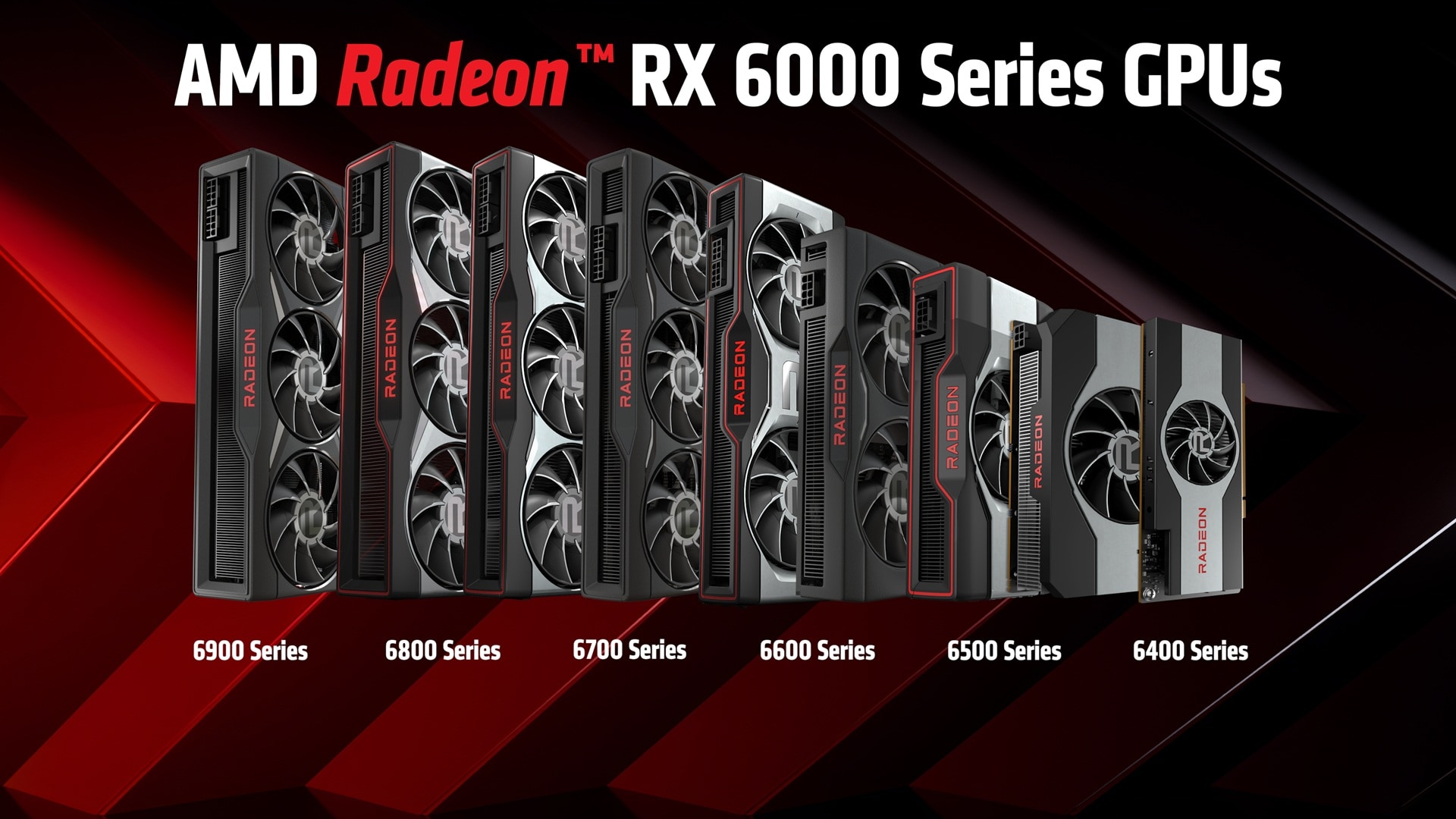
- Check your card against AMD’s compatibility list for this driver: RX 6900, 6800, 6700, 6600, 6500 and 6400 series. AMD’s FSR page names “AMD Radeon RX 6000 Series Desktop graphics and higher” for FSR Upscaling 4.1.
- Check Windows. The driver supports Windows 11 version 21H2 and later, and 64-bit Windows 10 version 21H2 and later.
- Download Adrenalin Edition 26.10.1 from AMD.com and install it. AMD’s release notes link its own How-To Install and How-To Uninstall guides for Windows if you need them.
- Launch a game from AMD’s list of supported FSR games and look for the FSR option AMD describes below.
Laptop owners: AMD calls 26.10.1 a notebook reference driver with limited support for system-vendor-specific features, and recommends OEM-provided drivers for laptops. If something misbehaves, AMD says to install the OEM’s driver instead.
Where the switch is: AMD doesn’t spell it out
Here’s the gap. AMD’s release notes, its newsroom post and its FSR page say FSR Upscaling 4.1 is supported on RX 6000, but none of them gives a menu path for turning it on. AMD’s FSR page does list a FAQ titled “How to activate FSR “Redstone” in my games?”, so start there. We won’t guess at menu names AMD hasn’t published.
What AMD does give is scope. Its FSR page promises sharper visuals in “over 400 supported games” and links a complete list of games that support FSR. Check that list before you assume a favourite game qualifies. The page also notes that FSR Upscaling is the new name for what was AMD FidelityFX Super Resolution 4.
What an RX 6000 gets, and what it doesn’t
The headline feature is upscaling. AMD says RX 6000 owners “will experience a significant leap in image quality over the FSR 3.1 solution that was previously available”. That’s AMD’s claim about its own tech, and we haven’t tested it. Frame generation is where the fine print lives.
| Feature | On RX 6000? | AMD’s listing |
|---|---|---|
| FSR Upscaling 4.1 | Yes | RX 6000 Series Desktop graphics and higher |
| ML-based Frame Generation (FSR “Redstone”) | No | RX 9000 Series and above; RX 6000 is “Upscaling Only” |
| ML-based Ray Regeneration | No | Same: RX 9000 Series and above |
| FSR 3 Frame Generation | Listed | RX 5000 Series and above |
So the new ML frame generation stays on RX 9000 and above, per AMD, but AMD’s table still lists the older FSR 3 frame generation for RX 5000 and newer. We’d treat 26.10.1 as a reason to update, not a reason to upgrade: AMD itself pitches it as “a major upgrade without the need to purchase new components”. If you’re weighing a newer card anyway, our look at the RX 9050 and its two memory configurations is worth reading first.
Known issues to read before you install
The release notes’ known-issues list doesn’t single out RX 6000 cards. They do list as fixed stuttering in Call of Duty: Modern Warfare 4 on “Radeon RX 6000 series graphics products and above”. Two open items are worth knowing about whatever you own:
- An intermittent crash or driver timeout in some games when opening or closing other overlays, such as Xbox Game Bar, while the Adrenalin Performance Metrics Overlay is enabled. AMD recommends temporarily disabling the Performance Metrics Overlay first.
- AMD Smart Access Memory may become disabled after driver installation on Windows 10 systems.
If you decide to go back to an earlier driver, AMD recommends using the AMD Cleanup Utility when downgrading. Known-issue lists are worth reading before every install; our write-up of Adrenalin 26.8.1 shows how many bugs can stay open after a fix release. And if trouble started after a Windows update rather than a driver, our guide to undoing a Windows 11 update covers that route.
Sources checked 30 October 2026: AMD’s Adrenalin Edition 26.10.1 release notes, AMD’s newsroom post of 20 October and AMD’s FSR page.
Our view: update, then look at AMD’s supported-games list before you hunt for the toggle. If AMD’s own FAQ doesn’t tell you where it lives, that’s a documentation gap AMD should close, not something to paper over with guesses.