Ahead of schedule
Battlefield 6 players have been waiting on a proper server browser, and EA is now handing it over sooner than it said it would. The studio is pulling the feature forward from its Phase 3 slot, with a staged rollout starting shortly after Season 5 Phase 2 lands on November 10.
The news comes in a Battlefield Studios community update dated November 3, “Server Browser Coming Soon“, which says the feature was originally planned for Phase 3 of Season 5. EA’s October 21 “More to Season 5” update had put the Server Browser in Phase 3 on December 8, alongside Platoons and map updates for Blackwell Fields and New Sobek City. That October post said Platoons would arrive in Phase 3 as planned; the new update only moves the Server Browser.
Two stages, no firm dates
EA says stability ahead of the holidays is its “primary focus”, and it is splitting the launch in two. First comes a “Limited Public Scale Test”: shortly after Phase 2, a limited group of players gets the Server Browser in the live game, so the team can stress-test server loads, observe live queue performance and validate matchmaking backfill with real squads. The “Full Global Launch” follows once live performance metrics are verified and any necessary fixes are deployed.
EA is aiming to progress through both stages “over the course of a couple weeks”, but says the timeline depends on live testing results and any fixes needed along the way. There’s no exact date for either stage, and no time of day. The studio promises more detail on rollout timing and a full guide soon.
Official tab first, Portal tabs alongside
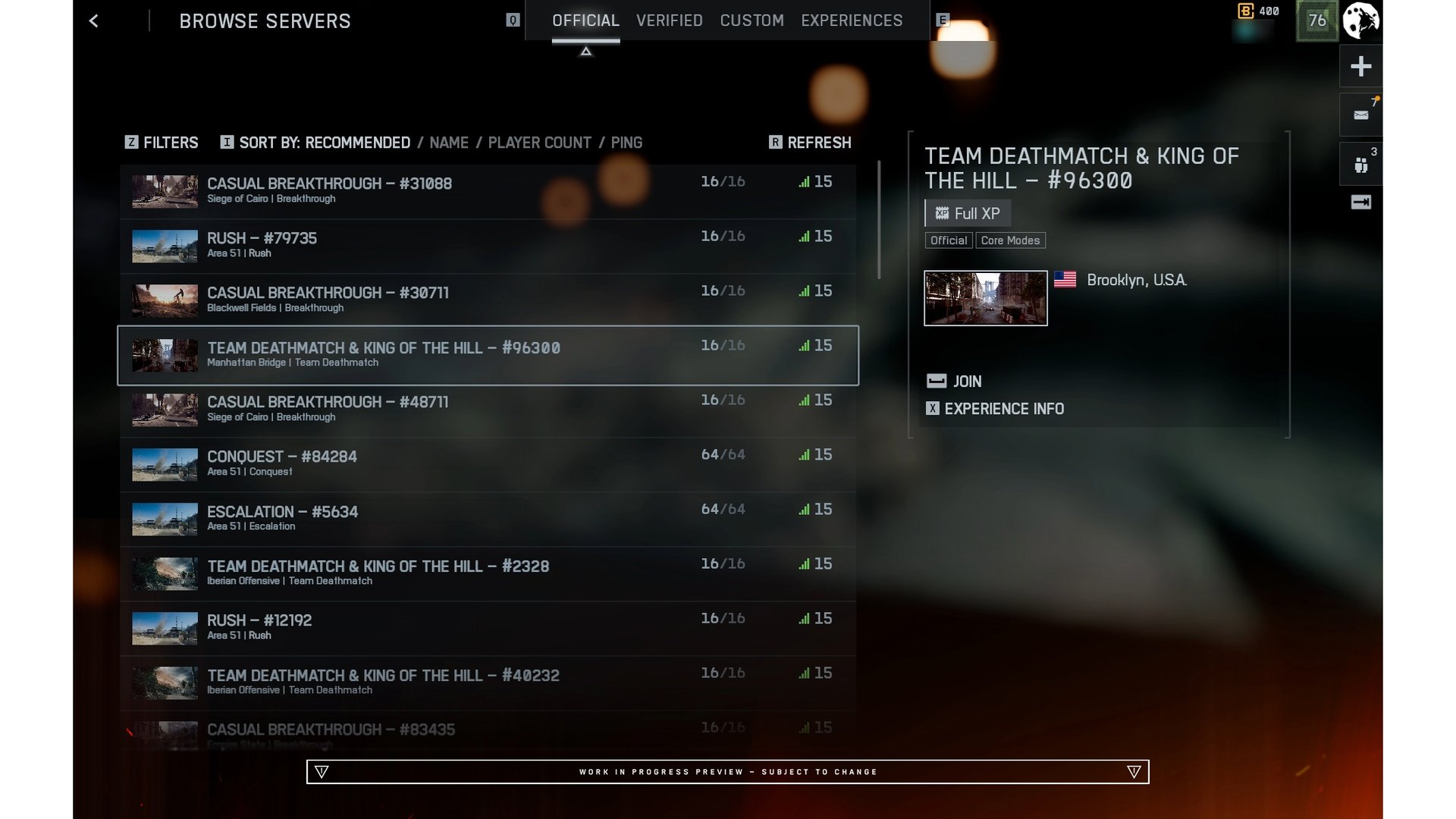
The browser sits in the Quickplay row, and selecting it takes you straight to a new Official tab with active servers already listed. There will be extra Server Browser tiles in other menus too, Portal included. Official Studios servers and Official Player-hosted servers are listed together in that tab. You can filter by map or mode type and sort by Ping, Player Count, Server Name or Recommended.
| Browser tab | What it is, per EA | Progression |
|---|---|---|
| Official (Studios) | Dedicated instances hosted and maintained by Battlefield Studios | Full XP, Mastery Progression |
| Official (Player-Hosted) | Persistent servers hosted by players using official game templates | Full XP, Mastery Progression |
| Verified | Community experiences built on verified presets with custom rulesets in Portal | Full XP Progression |
| Custom | Highly modified community sandboxes and custom logic scripts in Portal | Partial XP Progression |
The detail we care about most is that every server in the Official tab awards full XP, weapon mastery and challenge progression, matching standard matchmaking. Quickplay, Multiplayer, Custom Search and the Server Browser all feed the same official server pool, and persistent lobbies let you stay on the same server across consecutive rounds with your squad rather than going back to the main menu. EA says existing Portal tools, rule modifiers and admin controls in the Verified and Custom tabs remain completely unchanged.
Player-hosted servers have rules
Official Player-hosted servers run on a dedicated server, so the host doesn’t need to stay in the match for the server to remain online. They stay visible in the browser when empty, but an empty server is not visible to matchmaking: automated backfill won’t populate it on its own, and only begins routing players in once at least one player has joined. A server remains active for up to seven consecutive days without players before being delisted, and the timer resets whenever players join.
The mode matters too. Permanent staples like Conquest or Breakthrough, and any featured mode currently on the Quickplay or Multiplayer menus, get automated backfill. Any supported mode can still be hosted off-menu, but then it relies on you, your squad and your community to find and fill it. Players who join through the browser play straight into the next round, even on 24/7 servers, while those entering through Quickplay or Multiplayer are automatically re-queued at the end of the round on such servers.
We’d judge it on the full launch
GameSpot calls the Server Browser a “highly requested” feature, and EA’s October update said it knows “how highly anticipated the Server Browser is”. We think a cautious, two-stage rollout is the right call for something this wanted: a browser that falls over on day one would waste the goodwill that pulling it forward earns. We haven’t played it, so we can’t say how it feels, and a limited test can’t show how well servers fill once everyone is in.
It’s also refreshing to see a live-service feature come with a concrete anchor, November 10, and a “couple weeks” window, even if EA hedges it. Compare Destiny 2’s unvaulting plan, which we described as a year of work with no date attached. Battlefield 6 is on PC, PlayStation 5 and Xbox Series X|S; what we’ll be watching is who gets into the limited test after Phase 2 lands.
Sources checked 4 November 2026: EA’s Battlefield 6 community updates “Server Browser Coming Soon” (November 3) and “More to Season 5” (October 21).