Five switches worth flipping
What this covers: the new options in Xbox’s October 28, 2026 console update, OS version 10.0.26100.9647, and where to find each one. Who it’s for: Xbox console owners who have updated and aren’t sure what actually changed. Most of it is buried in Settings, and one feature may already have been busy on your profile without you noticing.
Every menu path below comes from Xbox Support’s official release notes for this update. To confirm you’re on it, press the Xbox button, choose Profile & system > Settings, then System > Console info; your OS version is in the second column. The release notes list the update’s release date as 10/28/2026.
Choose your boot animation
You can now pick which animation plays when the console starts, with options spanning Xbox One through the latest generation. Go to Settings > System > Startup. The existing setting that lets you play the startup animation without sound has moved to the same page, so if you’ve ever hunted for it, that’s where it lives now.
Get Remote Play to 1440p
Remote Play to an Xbox Series X|S now supports up to 1440p and higher video bitrates on supported devices, according to the notes. The catch is on the console itself, not the device you stream to.
- On the console, open Settings > General > TV & display options.
- Set the console’s display resolution to 1440p or 4K UHD. Xbox says to do this if you already use Remote Play, to take advantage of the improvements.
- Leave your streaming quality on Auto. In that mode, Xbox says, Remote Play picks the highest resolution and bitrate your device and network connection can support, regardless of the resolution shown in the setting.
One caveat from the notes: some devices may not yet offer separate streaming settings for Xbox Cloud Gaming and Remote Play. We’d start with the display-resolution change, since it’s the one step the notes tell you to take yourself. The notes don’t name a menu path for the streaming-quality setting, so we won’t guess at one.
Decide what cloud gaming downloads
When network conditions allow, downloads now continue in the background while you stream a game, which Xbox says helps reduce wait times. You can turn this off at any time under Settings > Cloud gaming > Streaming preferences. If your connection is shared with the rest of the house, that’s the first place we’d look when streaming feels off. For the money side of the service behind it, see Microsoft’s own take on how Game Pass dragged Xbox down.
Related changes in the same notes: games you play via Xbox Cloud Gaming are now automatically added to the Games section of My games & apps, and you can remove them with the Menu button.
Clear out old local saves
The console can now show, sort and delete local game saves that aren’t currently in use. You can remove a single large save or clear all unused local saves at once. The notes also add a direct link to this screen from the game save storage warnings you may hit mid-game. They don’t give a Settings path for it, so the easiest documented way in is one of those warnings.
Find your Mythic Achievements
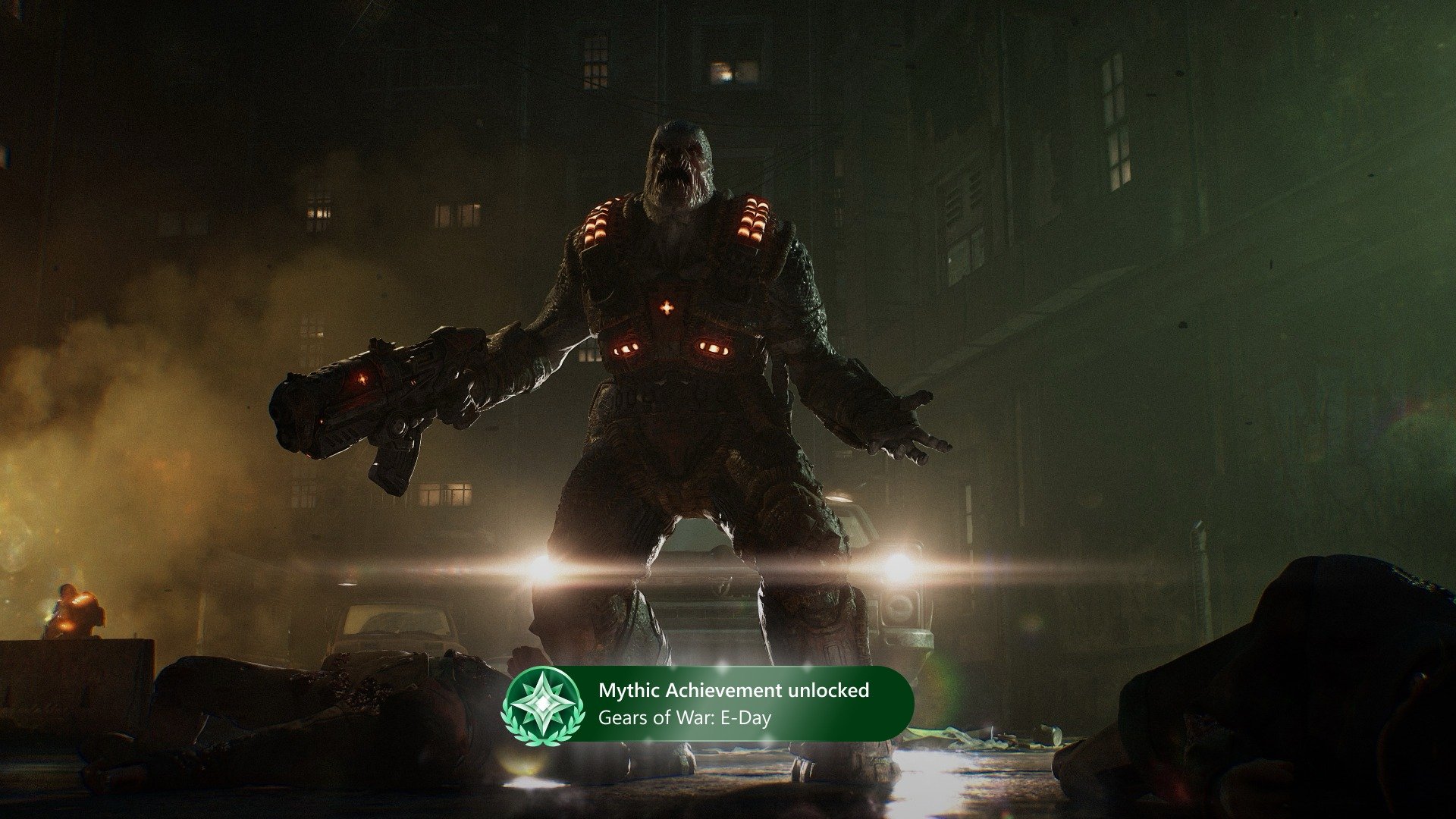
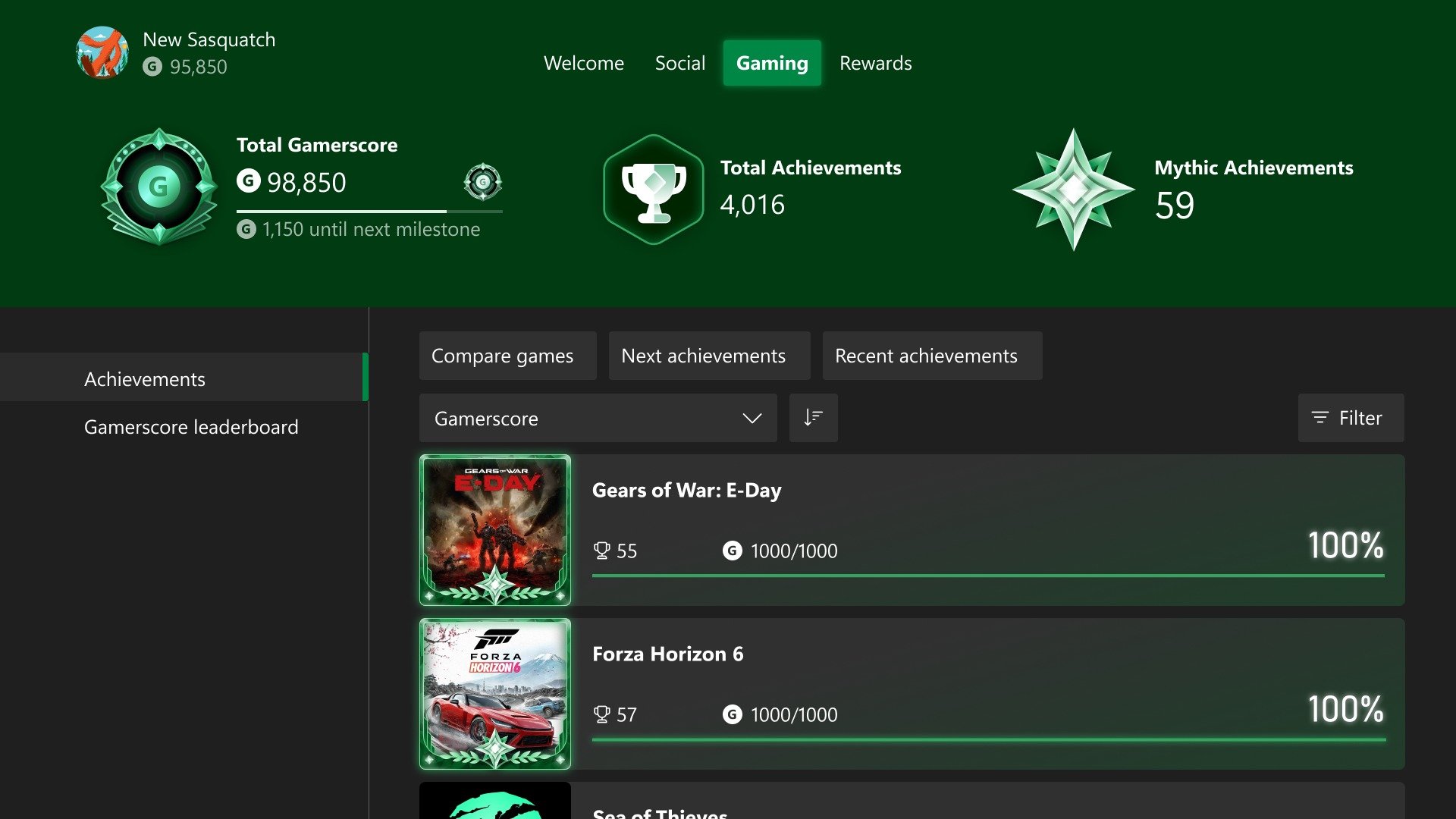
The release notes say you earn a Mythic Achievement when you complete all original achievements for a game. Achievements added later through DLC or updates aren’t required, and once you’ve earned Mythic status it’s yours to keep. Your total Mythic count appears in the Gaming tab of your profile, and your progress toward Mythic status sits in a game’s achievement list.
The extra detail comes from Xbox Wire’s September 29 post, which introduced Mythic Achievements to Xbox Insiders. It says Mythic Achievements had already been added to eligible games you completed in the past, including Xbox 360 titles, so your profile may already show some. It also describes a new Gaming tab on your profile, a heroic frame on Mythics in your achievement history, and the option to view friends’ Gaming tabs. That post covered the Insider build; the October release notes carry the core rule and the Gaming tab and progress locations, but not the Xbox 360 backdating line.
Per Xbox Wire, a new progress bar at the top of each game’s achievement list shows how close you are to Mythic status, with an option to focus on the original achievements you still need. Later achievements are tagged “add-on”, so you can see what counts. Similar progress information appears in Guide and Achievement details.
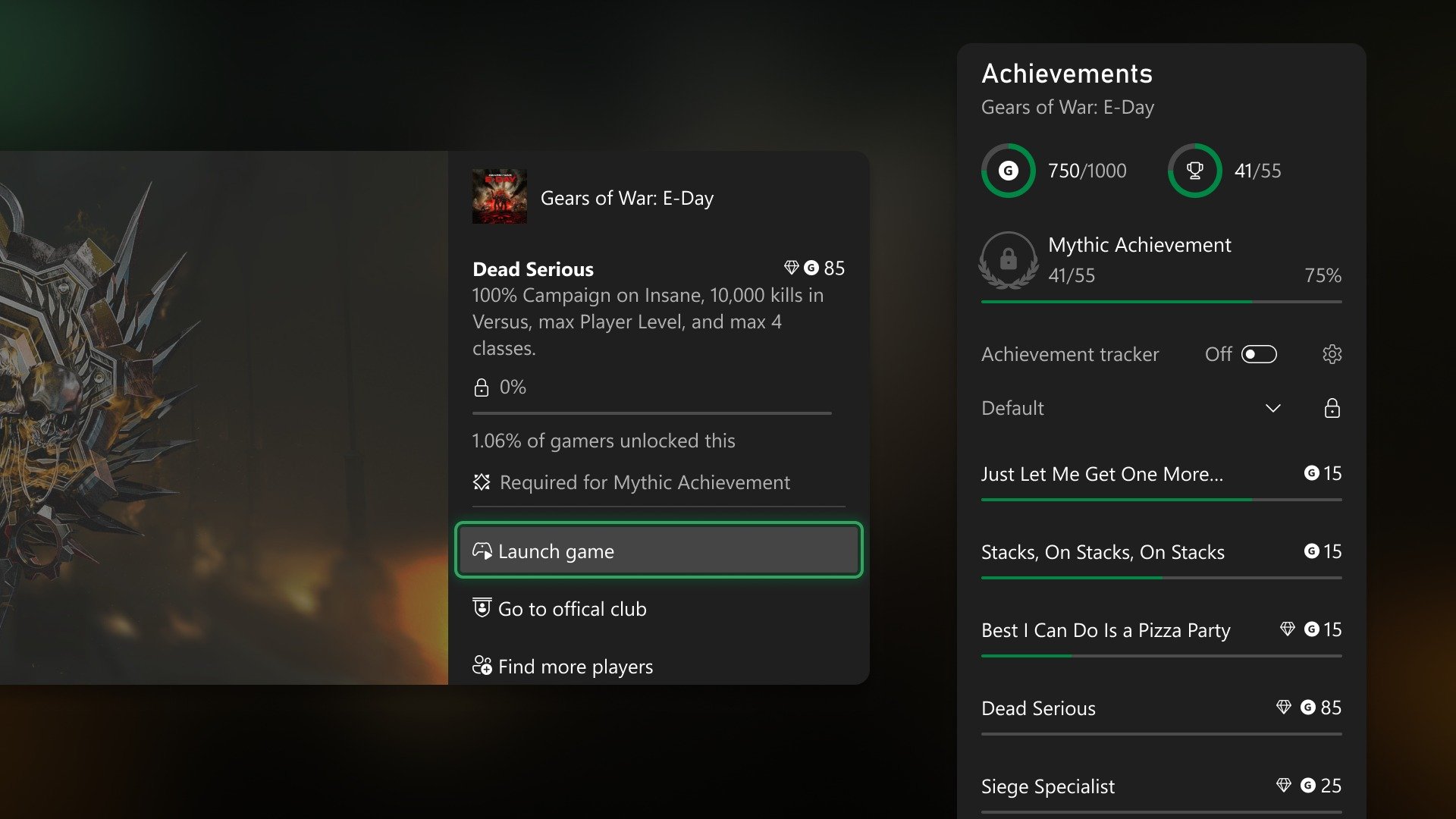
We like the original-achievements-only rule. Because later DLC achievements aren’t required, new content can’t take Mythic status away. Steam players get a comparable DLC protection through Steam’s Achievement Sets.
The update also lets you sort games by name, completion percentage, gamerscore earned or number of achievements unlocked, in ascending or descending order, and adds local search for finding games and achievements in long lists. Go to Settings > System > Updates if you haven’t installed the update yet, then open your profile and see what the Gaming tab says.
Sources checked 3 November 2026: Xbox Support’s “What’s new: Xbox system updates” release notes, Xbox Wire’s September 29 Insiders post, and GameBeacon’s October 28 report.