
Early access to Steam features
What this fixes: getting new Steam features, such as the new Achievement Sets, before they reach the regular client. Who it’s for: anyone on Steam for Windows, Mac or Linux, in Big Picture mode, or on a Steam Deck who wants early access and can live with the odd bug.
Valve often tries out new client features in its public beta first, and the switch to opt in is buried in a settings dropdown most people never open. The steps below follow Valve’s own support instructions as of October 2026.
Joining the beta in the desktop app
- With Steam running, click Steam in the top-left corner and choose Settings. On a Mac, it’s Preferences.
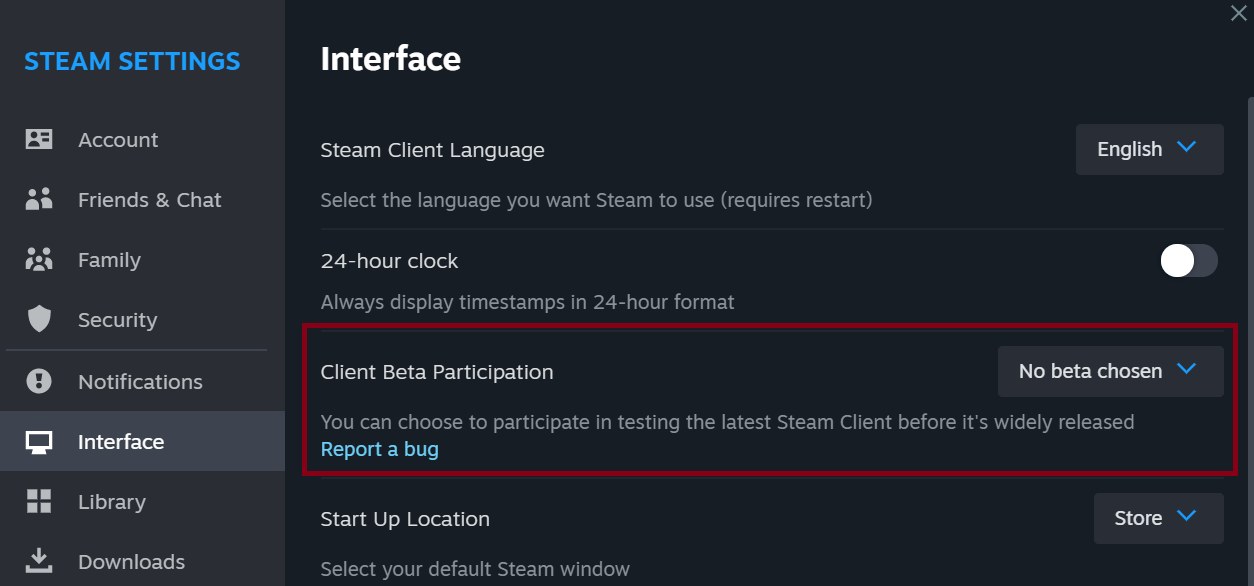
- Open the Interface tab. You’ll see Client Beta Participation a few rows down.
- Open the dropdown and select Steam Beta Update.
- Steam asks you to restart. Click Restart Now. It’ll download the beta build and come back up on it.
Joining on Steam Deck
On the Deck, the setting is called the System Update Channel, and it lives with the system settings rather than the interface ones.
- Press the Steam button.
- Select Settings, then System.
- Scroll to the Beta Participation section.
- Open the System Update Channel pull-down and pick Beta.
- Follow the prompt to restart the Deck.
Joining from Big Picture mode
If you run Steam on a TV or a Windows handheld in Big Picture mode, the path is nearly the same as on the Deck, but the dropdown has a different name.
- Open Settings, then System.
- Go to the Beta Participation section.
- Open the Steam Client Update Channel pull-down and choose Steam Beta Update.
- Follow the prompt to restart.
Getting back to the stable client
Leaving is the same dropdown in reverse. On desktop, go back to Settings, then Interface, set Client Beta Participation to No beta chosen, and restart when Steam asks. On a Steam Deck, set the System Update Channel back to Stable, the channel Valve ships regular Steam updates to. In Big Picture mode, move the Steam Client Update Channel off Steam Beta Update and back to the non-beta option. After the restart, you’re back on the regular build.
If a game misbehaves after you switch in either direction, rule out damaged files before blaming the beta. Our guide to verifying game files on Steam shows how in a couple of clicks.
Is the beta worth joining right now?
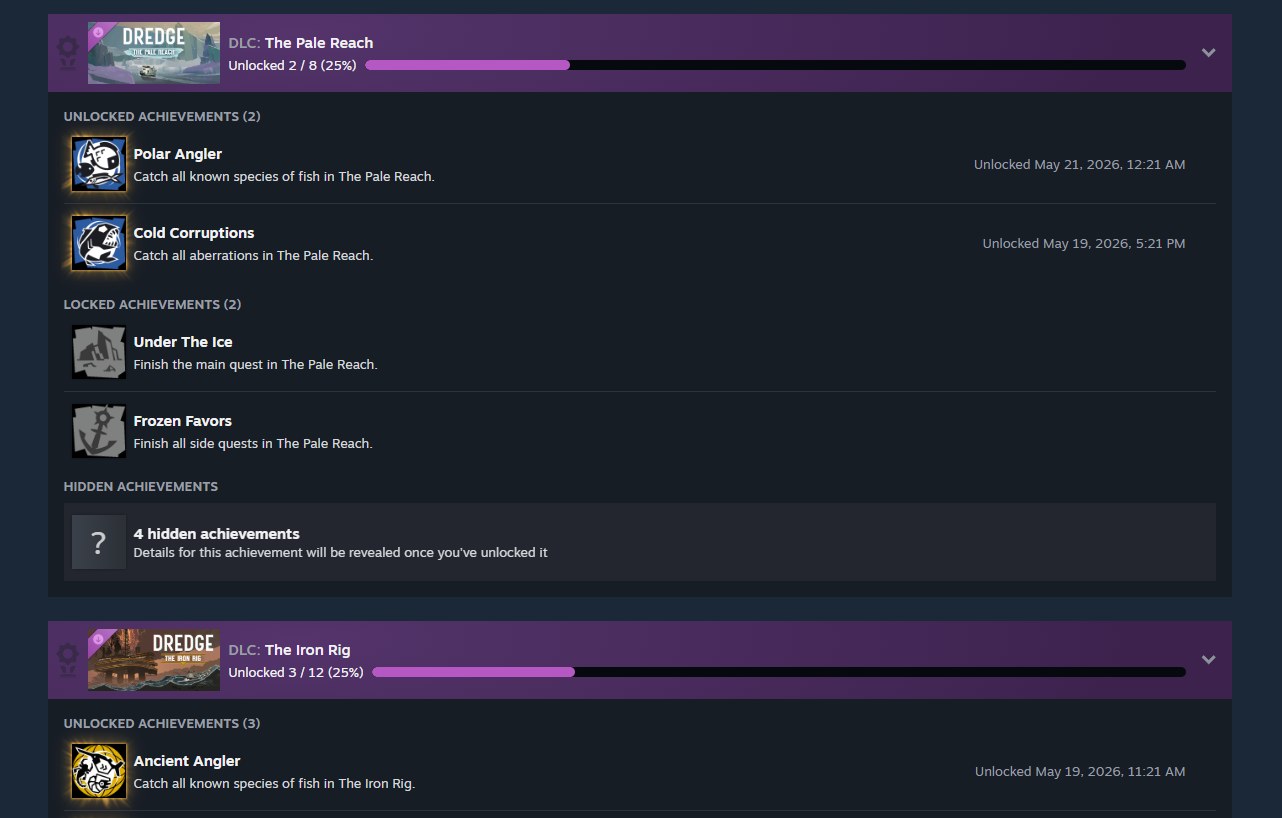
We think so, for most people. Right now the draw is Valve’s new Achievement Sets, which group a game’s achievements into base-game and DLC sets so a new expansion doesn’t wipe out your 100%.
The trade-off is stability. Beta builds update more often than the stable client and carry features that are still being tested, so the occasional crash or broken overlay comes with the territory. If you play competitively, stream, or rely on Steam working first time, stay on stable. Everyone else can try it, and drop out quickly if it misbehaves.
If you hit a bug, the Client Beta Participation setting has a Report a bug link underneath it, and Valve collects feedback in the Steam Client Beta discussion group. Reporting a problem there gives Valve a chance to fix it before it reaches the regular client.
Steps checked against Valve’s Steam Client Beta support page on 18 October 2026.