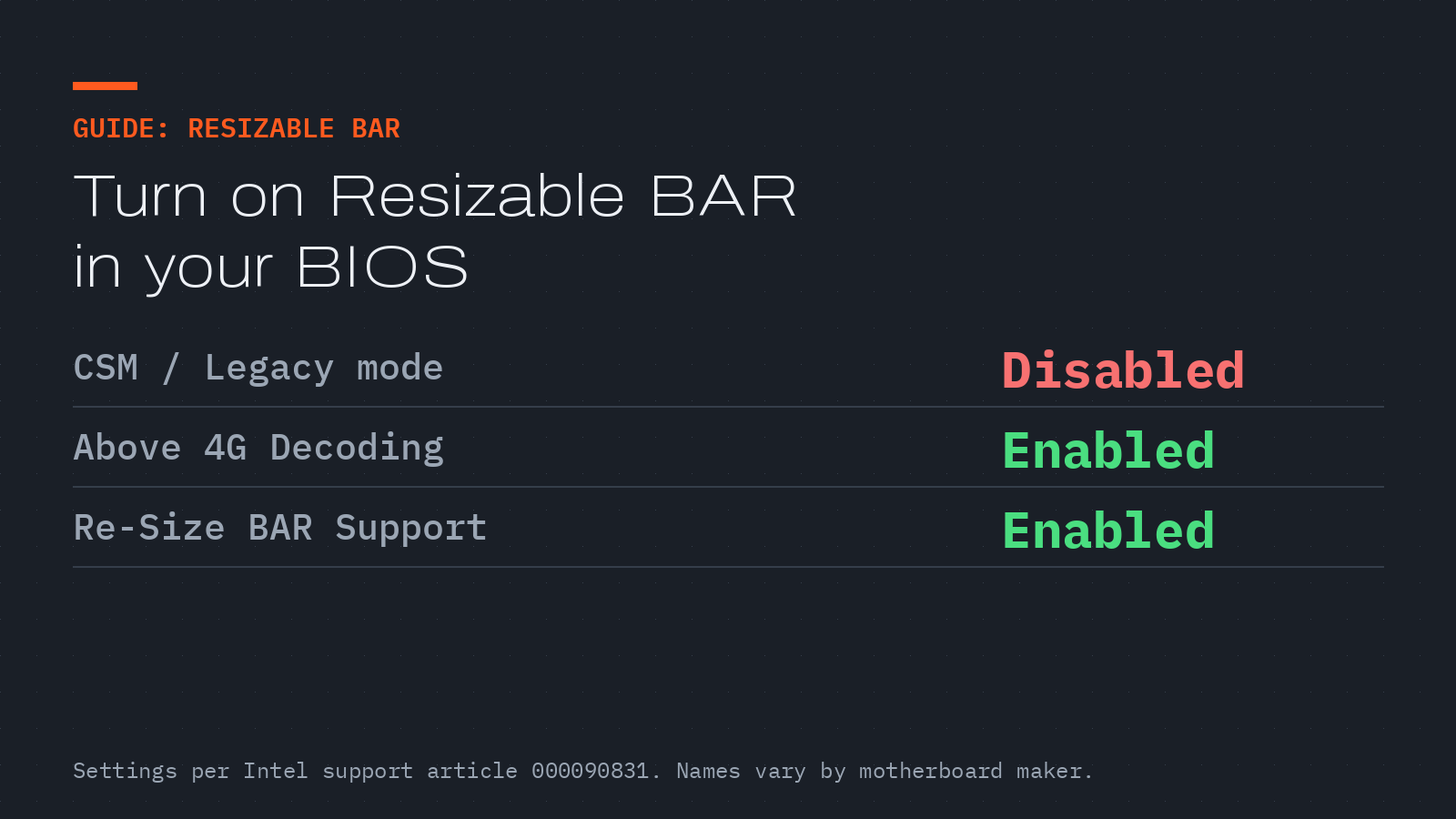
Resizable BAR switched off
What this fixes: lower-than-expected performance on a modern graphics card, especially Intel Arc, when Resizable BAR is switched off. Who it’s for: anyone with a recent GPU and a UEFI motherboard who hasn’t checked the setting.
Verified against Intel’s support article 000090831, “What Is Resizable BAR and How Do I Enable It?”, last reviewed by Intel on December 19, 2024. Intel’s new Arc driver, 32.0.101.9150, is a good moment to check.
What Resizable BAR does
Intel describes Resizable BAR (Base Address Register) as a PCIe capability that lets a device such as a graphics card “negotiate the BAR size to optimize system resources”, and says enabling it “can result in a performance improvement.” In practice, the CPU can reach more of the GPU’s memory at once.
Warning: These steps change firmware settings. Disabling CSM can stop a PC from booting if Windows was installed in legacy BIOS mode rather than UEFI. Check that Windows boots in UEFI mode first, note every setting before you change it, and update your motherboard firmware only from your board maker’s own support page.
Turn it on
- Update to your motherboard’s latest firmware that supports Resizable BAR, from your system maker’s support page. Intel lists this as a requirement.
- Restart and press Delete during start-up to enter the BIOS/UEFI menu. Intel notes the key varies by manufacturer. You should see the firmware setup screen.
- Set Compatibility Support Module (CSM) or Legacy Mode to Disabled, and make sure UEFI boot mode is Enabled.
- Set Above 4G Decoding to Enabled, or Auto if there’s no Enabled option.
- Set Re-Size BAR Support to Enabled, or Auto.
- Save and exit. Windows should boot normally.
- Confirm it’s on. Intel suggests its Driver and Support Assistant (Intel DSA).
If you can’t find the option
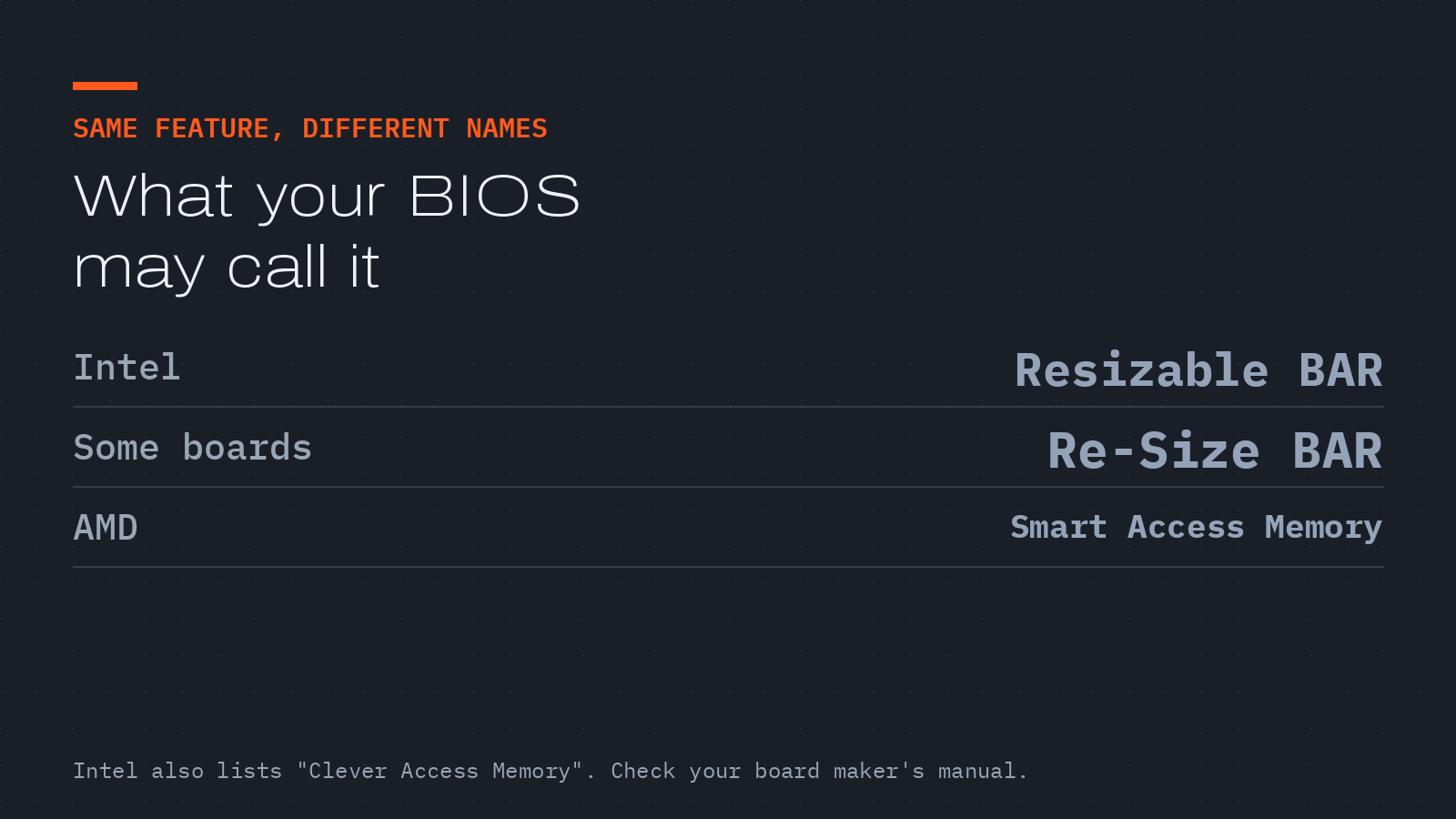
Intel says the setting may be labelled Re-Size BAR, Smart Access Memory or Clever Access Memory, and that the exact location is up to your system maker. If it’s missing after a firmware update, your board or CPU may not support it, and your board maker’s support page is the only reliable answer.