A pad that turns to paste
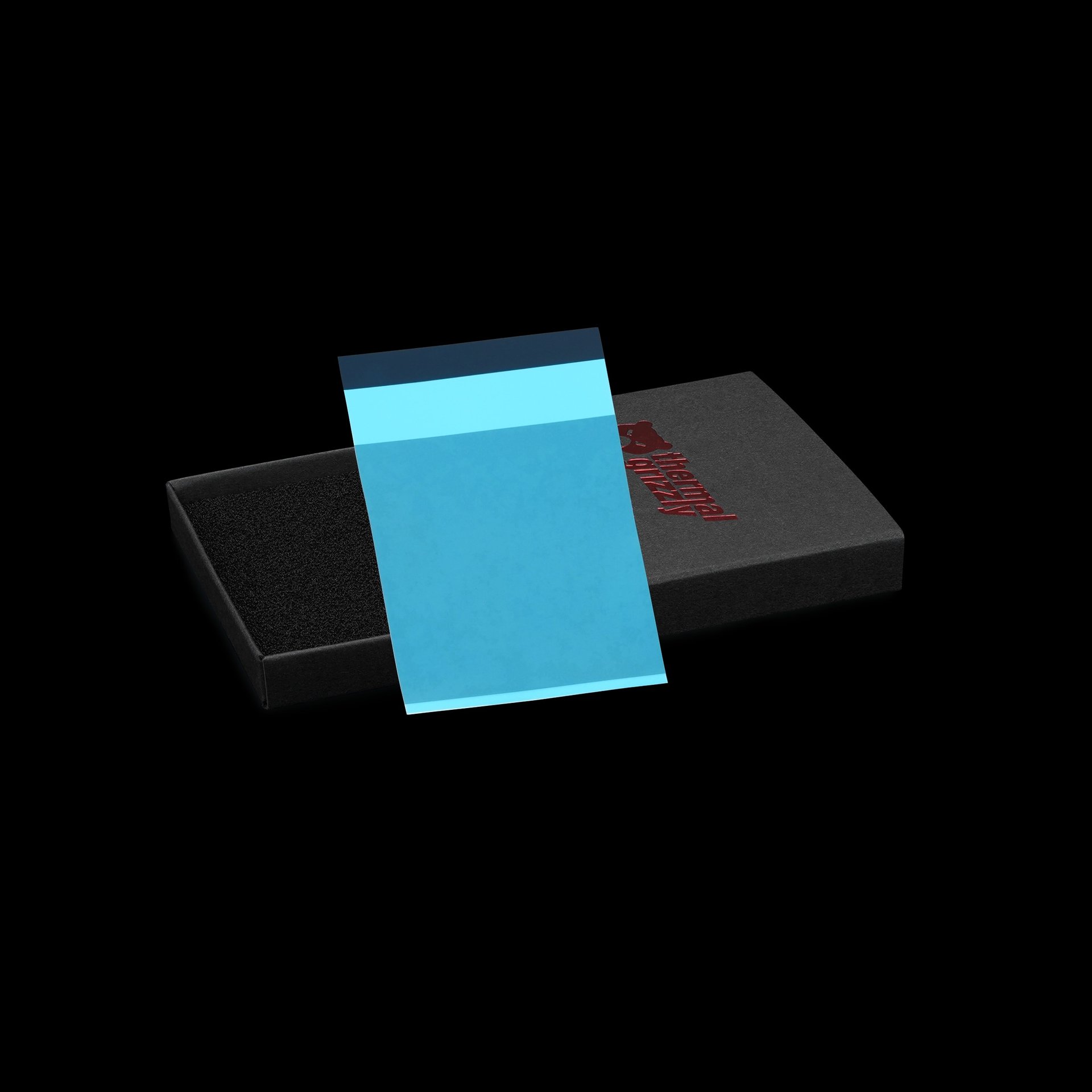
Thermal Grizzly‘s new PhaseSheet PTM Pro is the kind of product GPU owners with a pump-out problem have been waiting for: a thermal pad that sits solid at room temperature, then starts to liquefy above 45°C and behaves like paste once the card is hot. It is also electrically non-conductive, so it is safe on bare dies. The catch is that its measured lead over Thermal Grizzly’s own products is small, and the numbers come from Thermal Grizzly’s own testing.
How the phase change works
The sheet is easy to apply because it is solid when you fit it. Above 45°C it becomes a very low-viscosity liquid that spreads into a thin layer, then contracts back to a solid as it cools. That cycle is what Thermal Grizzly says minimises pump-out.
Pump-out is the slow squeezing of paste from between die and cooler. Thermal Grizzly points to copper coolers on graphics chips as the worst case, because silicon and copper expand by different amounts when heated, and the repeated flexing pushes paste outward. A material that goes liquid under load and sets again when cool is a sensible answer to that.
It is a refinement of the original PhaseSheet PTM, with a new carrier film that peels cleanly from both sides, which lowers the risk of tearing the sheet during installation.
Fitting it properly
This is not a drop-in, forget-it pad. Thermal Grizzly asks for roughly 300-400N of contact pressure so the liquefied material can spread to the thinnest possible layer, and says the sheet only reaches its maximum thermal conductivity after around ten thermal cycles above 60°C. Expect the first few heat-ups to run behind the final result.
Durability sits in the middle. The Pro is more durable than traditional paste but not as long-lived as KryoSheet, which Thermal Grizzly describes as virtually maintenance-free. If a card is already misbehaving, our checklist for PC crashes while gaming is worth working through first, because hot-spot temperatures are only one cause.
The numbers, and how big they are
Thermal Grizzly’s graph used a 30 x 30mm contact area, 300N of mounting force (48 PSI) and a 240W heat load. The figure is the temperature difference, so lower is better:
- PhaseSheet PTM Pro: 5.83°C
- KryoSheet: 6.13°C
- Duronaut Pro: 6.29°C
- Original PhaseSheet PTM: 6.36°C
That is a 0.30°C edge over KryoSheet and about half a degree over the original sheet. We would not buy on that gap. It is a single manufacturer test, on a fixed small area, and the lead over a product the same company already sells is slim. The more interesting claim is the one a graph cannot show: whether the pad keeps its performance after months of heat cycling on a GPU.
The price
Thermal Grizzly sells the Pro at $23.28 for a 40 x 40mm sheet. The original PhaseSheet PTM costs $13.92 for a larger 50 x 40mm sheet, so per square millimetre the new one costs roughly twice as much. Our view: the Pro makes sense for a card you plan to keep and have already repasted once, and the original or a good paste is the better value for everything else. Like the gap between the 9800X3D and 7800X3D, it is a small gain with a bigger price jump.
If you are planning a build around cooling headroom, our PC builder is a useful place to start, and the sheet’s mounting-pressure and heat-cycling requirements are worth reading before you order.